
In the Leads section of the portal you will see a Source assigned to each lead.
In this article we will outline what each of the different sources mean to help you quickly and easily identify where the lead originated from.
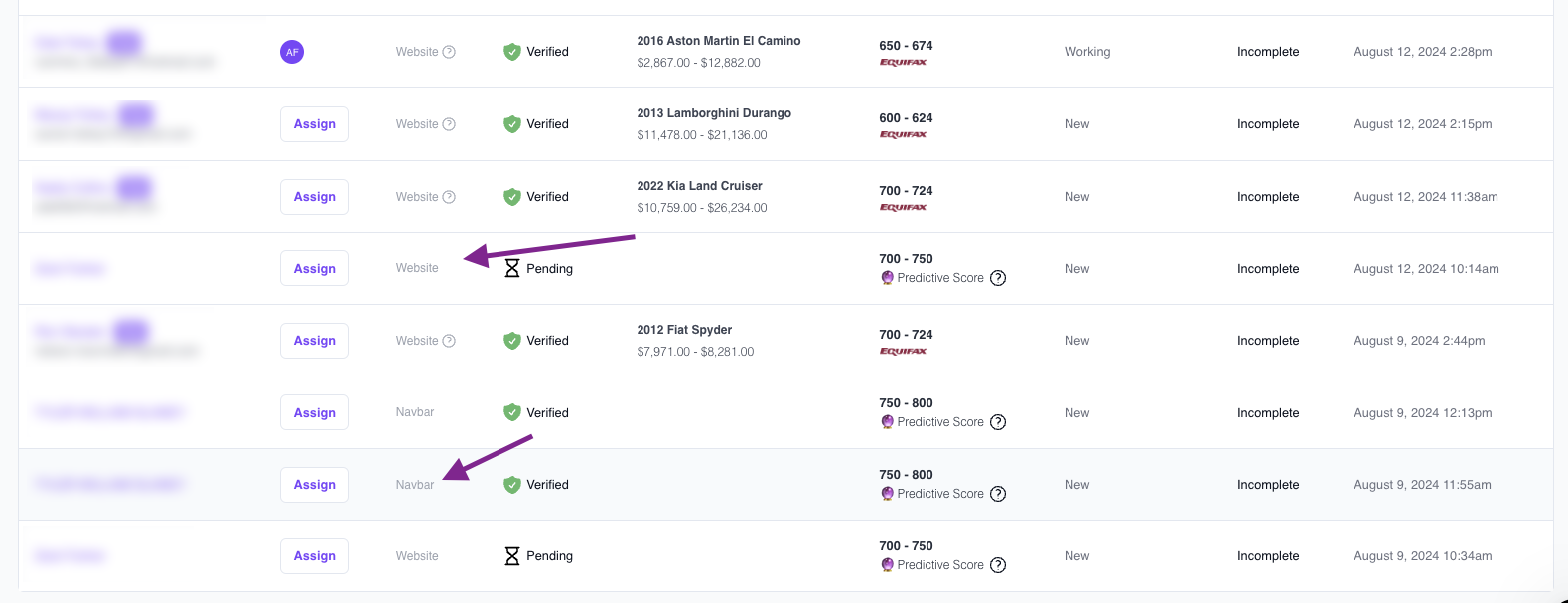
Types Of Lead Sources:
| Source Name | |
| Website | The lead was created from any of the AVA CTA’s on the dealers website. |
| Website? | The lead was created from any of the AVA CTA’s on the dealers website. Hovering over this icon will show the user the exact URL the lead came in from. |
| CarGurus | When the CarGurus Integration is enabled, leads that are generated from CarGurus will display as such in the portal. |
| AutoTrader | When the AutoTrader Integration is enabled, leads that are generated from AutoTrader will display as such in the portal. |
| Carpages | When the Carpages.ca Integration is enabled, leads that are generated from Carpages.ca will display as such in the portal. |
| Kijiji | When the Kijiji Integration is enabled, leads that are generated from Kijiji will display as such in the portal. |
| Nav Bar | This lead was created when the details were entered from a link using the “Copy ID Link” button in the portal. |
Need help determining a lead source?
Reach out to us at support@autocorp.ai for assistance or for any further questions, we are always happy to help!