
This article explains how to add and view lead comments in the AVA™ Portal. Lead comments allow you and your team to log notes, updates, and messages directly on a lead record. To get started: open a lead from your Leads List, click the Comments icon, type your message, and click Post. Comments are permanent once posted and visible to all team members with access to that lead.
Open a Lead
From your Leads List, click on any lead to open the Lead Details page.
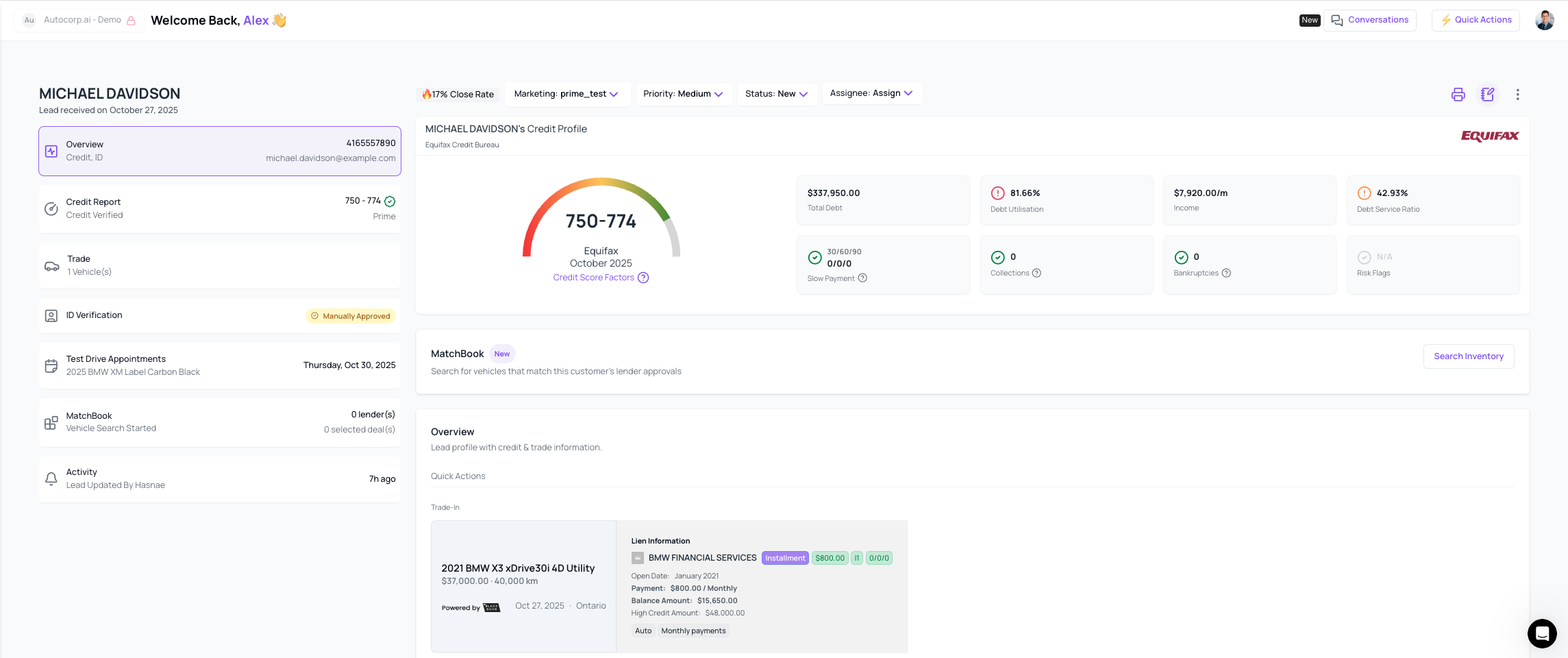
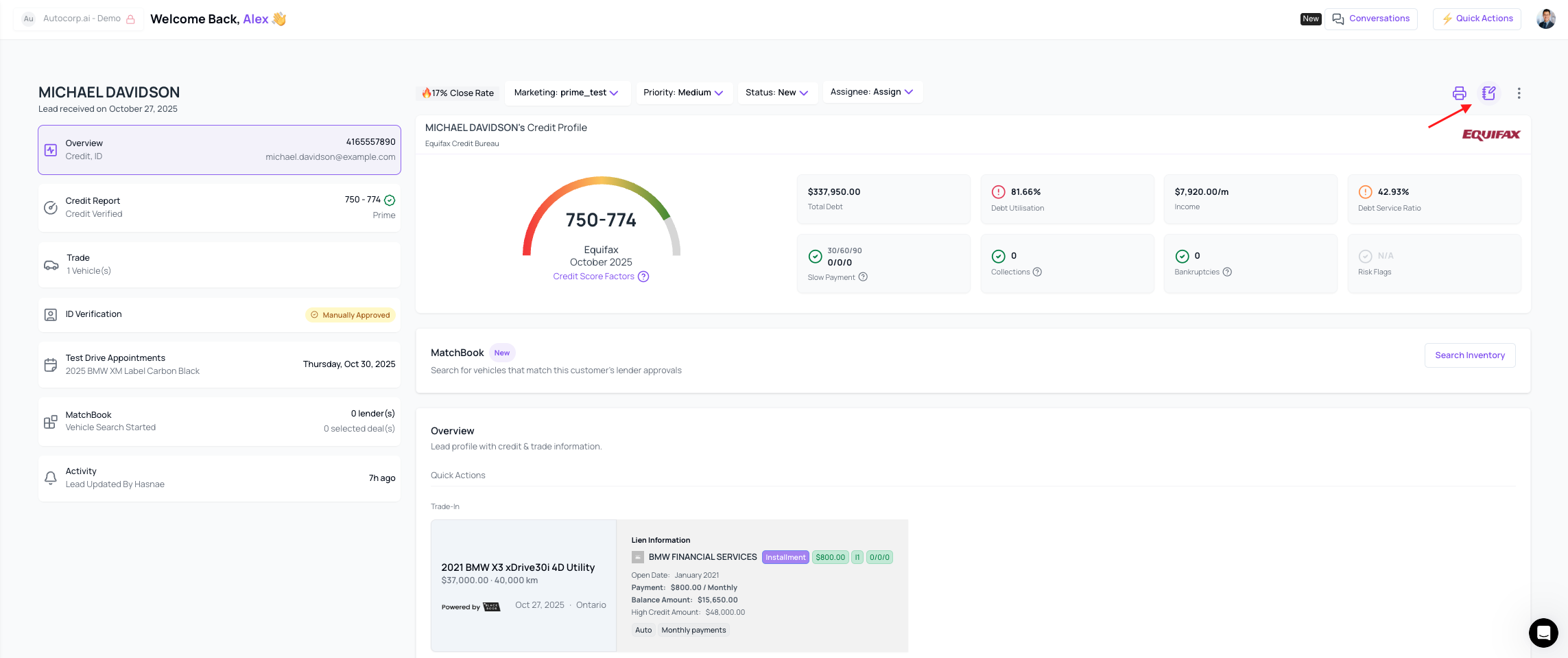
Click the Comments Icon
The Comments icon is located in the toolbar at the top of the Lead Details page.
A counter badge shows how many unread comments exist. Click the Comments icon to open the comments panel and view all existing comments left by you or your team members.
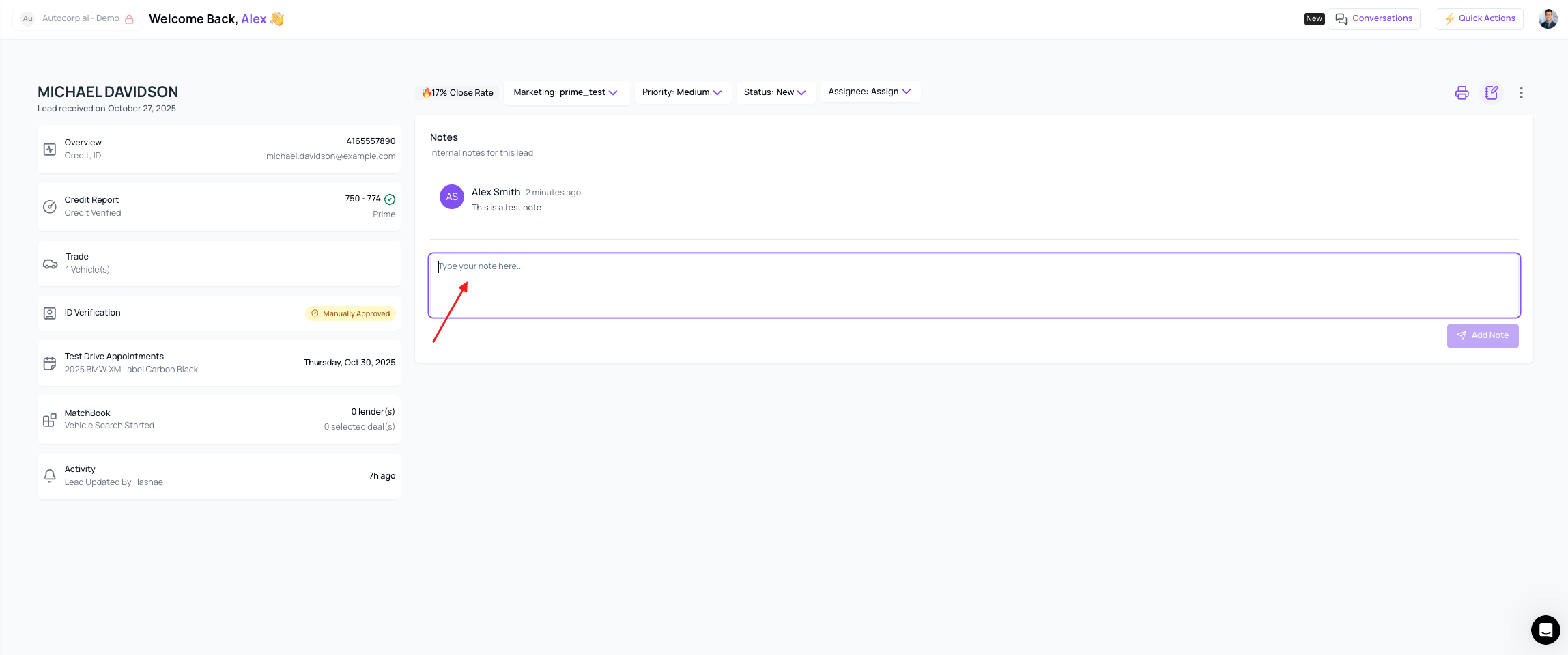
Add Your Comment
Type your note, update, or message in the comment box.
Every comment is timestamped and tagged with your name automatically.
There is no character limit, and you can include URLs or plain text.
Post Your Comment
Click Post (or press Enter) to share your comment with your team.
Everyone with access to that lead will see it right away — no saving required.

You're all set
Your comments are now attached to the lead for future reference.
Note: Comments cannot be edited or deleted after posting. Review your message carefully before clicking Post.
Need Help?
Our support team is happy to help — chat with us or email support@autocorp.ai anytime.