
Use AI-powered lender recommendations to close more subprime deals—faster and more profitably.
Why use Lender Suggest?
Choosing the right lender for a subprime deal is one of the most time-consuming and error-prone tasks for F&I managers. Traditionally, it requires manually reviewing dozens of PDF rate sheets, interpreting lender programs, and doing side-by-side math—often under pressure.
AVA™ MatchBook's Lender Suggest automates this process by using AI to analyze lender program PDFs and recommend the most profitable and competitive options for each vehicle.
Who can use this?
This feature is available to all AVA™ MatchBook customers. Availability and packaging may change—contact your Customer Success Manager or check the pricing page for current details.
Before you start
Make sure you’re:
-
Logged into MatchBook
-
Working on a deal that involves a subprime customer
-
On a vehicle that qualifies for at least one lender program in the system
💡 Tip: You do not need to upload or manage lender PDFs—the system handles this automatically in the background.
How to use Lender Suggest (Subprime)
1. Open MatchBook

Navigate to a subprime deal you’re working on in the MatchBook tool.
2. Review lender suggestions
.png)
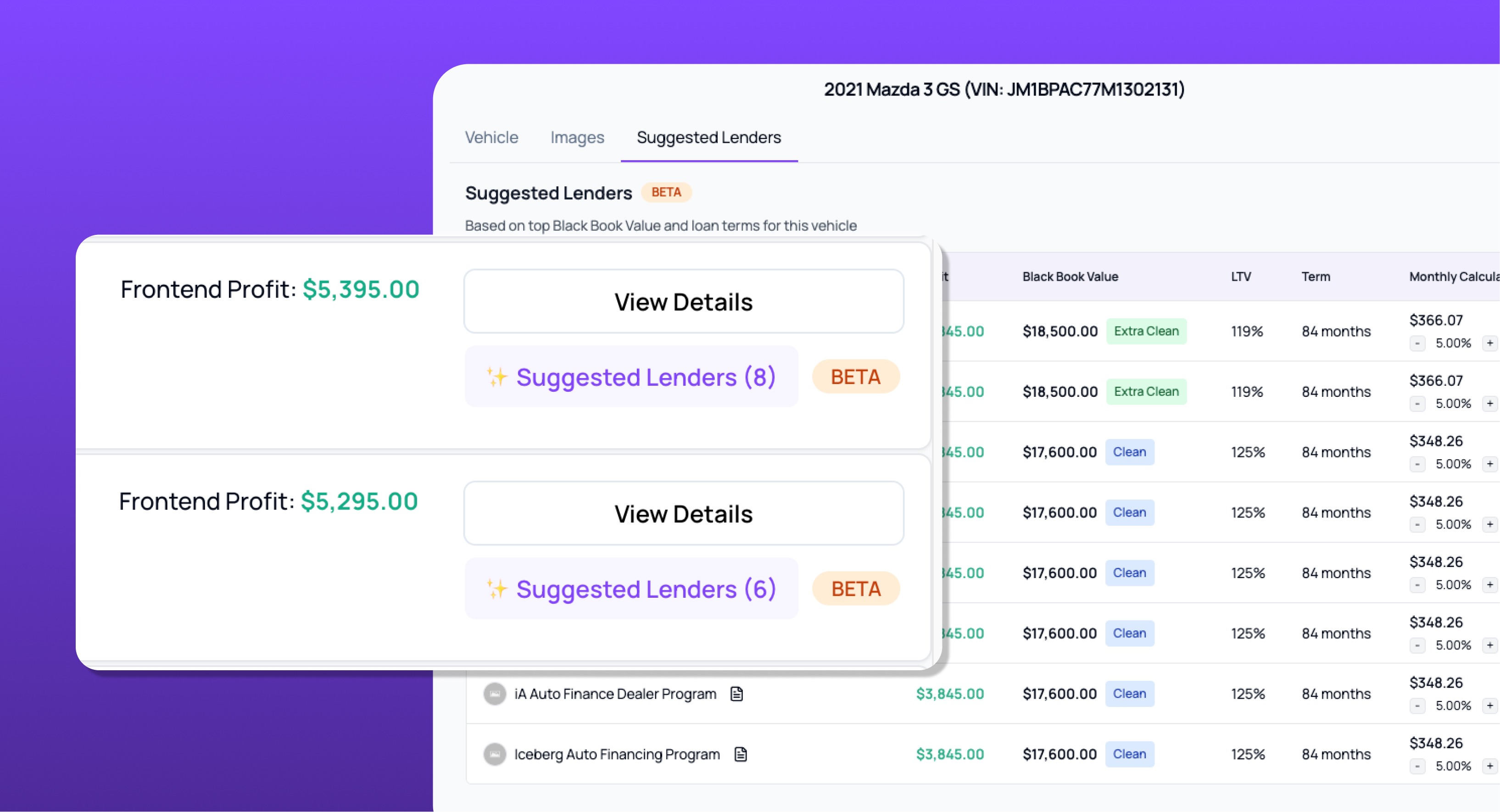
Lender Suggest will analyze the vehicle and show a ranked list of recommended lenders, based on:
-
Estimated profitability
-
Canadian Black Book (CBB) value
-
Loan-to-value (LTV) ratio
-
Term
📊 Lenders are sorted by profitability, so the best options appear at the top.
3. Use the monthly payment calculator
Select the monthly payment calculator icon next to any recommended lender in the ranked list to open the calculator. Adjust the interest rates to show a monthly payment estimate for your customer before submission.
This helps manage customer expectations while speeding up decision-making.
4. View the actual rate sheet (optional)
Need to double-check something? Just click the 📄 document icon next to any lender to view their full program PDF.
5. Submit in Dealertrack
Once you’ve picked your lender, switch to Dealertrack and submit the application as usual.
What you can expect
With Lender Suggest, you’ll:
-
Spend less time digging through PDFs
-
Make confident lender selections—even if you’re new to subprime
-
Improve deal speed and lender match quality
-
Empower less experienced staff to make better decisions
💵 Pricing
Pricing for Lender Suggest may vary by package. Contact your Customer Success Manager or visit the pricing page for current rates and plan details.
Advance notice will be provided before any pricing changes take effect.
Need help?
If you’re having issues or want to give feedback on the beta:
💬 Chat with us live in your portal
📧 Email support@autocorp.ai
📞 Call 1 (877) 255-8627
You can also reach out to your Customer Success Manager to discuss rollout plans or training.