
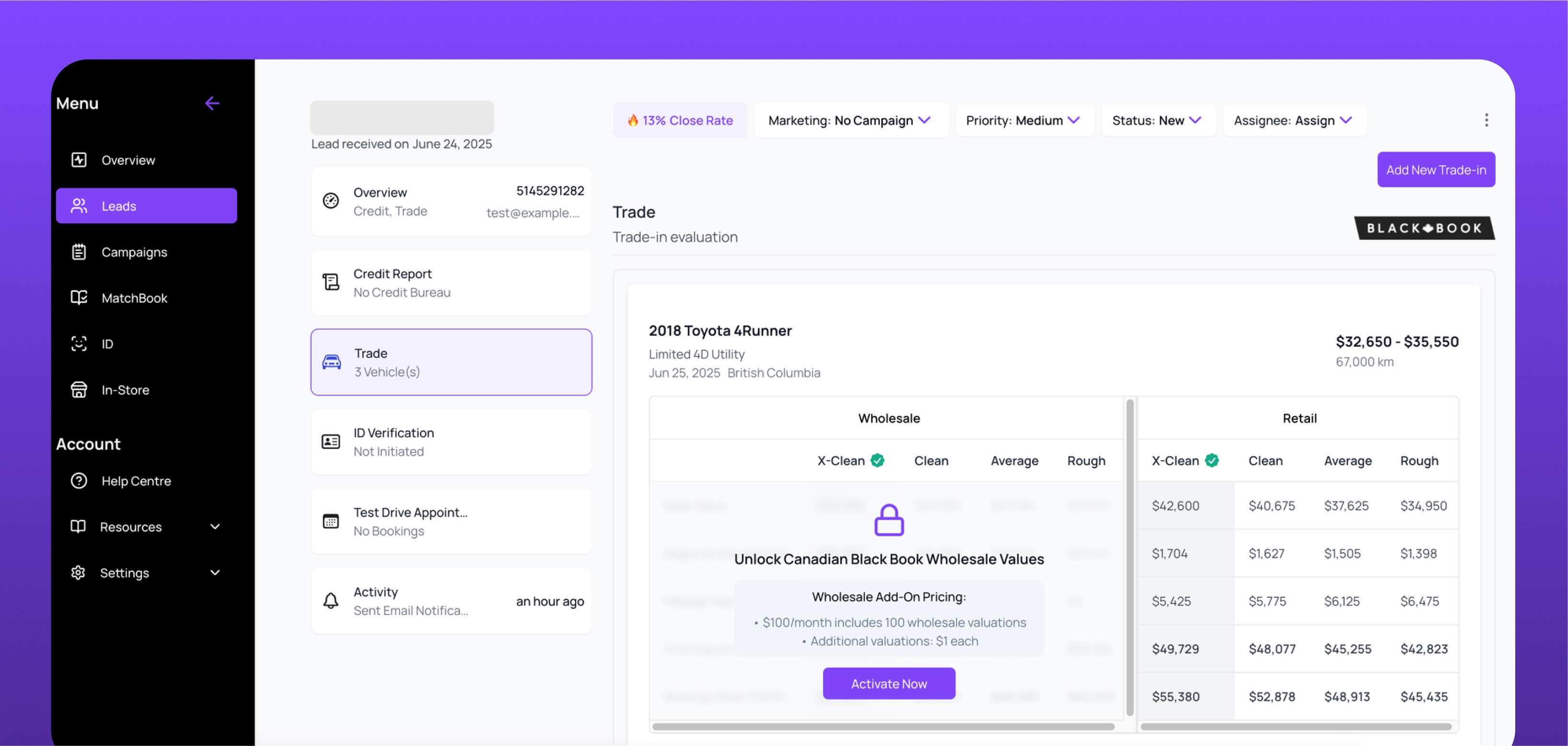
To enable wholesale trade values in the Autocorp.ai Dealer Portal, a Company Admin navigates to the Trade tab and clicks Activate Now in the Wholesale section. Once activated, real-time Canadian Black Book wholesale values appear alongside retail values for all new and updated trade-ins.
Why enable wholesale valuations?
By default, AVA™ Trade only shows retail values for trade-ins. With the Wholesale Trade feature enabled, your dealership will also see real-time wholesale values pulled directly from Canadian Black Book.
This gives your sales and appraisal teams:
-
Better insight into true market acquisition value.
-
More accurate offers that build customer trust.
-
A fully integrated experience — no need for separate Canadian Black Book logins
Who can enable this?
Only Company Admins can activate wholesale valuations in AVA™ Trade.
Member users will see a call-to-action to activate it, but can’t turn it on themselves.
Before you start
Make sure you’re logged into the Autocorp.ai Dealer Portal using a Company Admin account.
Before enabling wholesale valuations, confirm you have the following:
- You are logged into the Autocorp.ai Dealer Portal with a Company Admin account.
- You have access to the Trade tab in the left-hand menu.
How to enable Wholesale Trade Values
1. Go to the Trade tab
From the dashboard, select Trade in the left-hand menu.
2. Click “Activate Now”
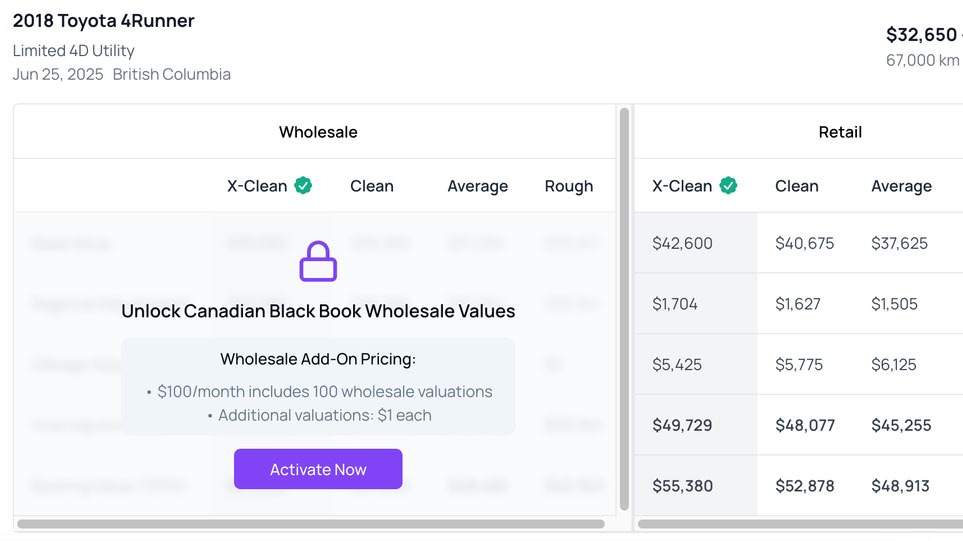
On the Trade page, you’ll see a new section labeled “Wholesale” with an Activate Now button. Click it.
🔒 Only Company Admins will see this button.
3. Wholesale trade values are now active
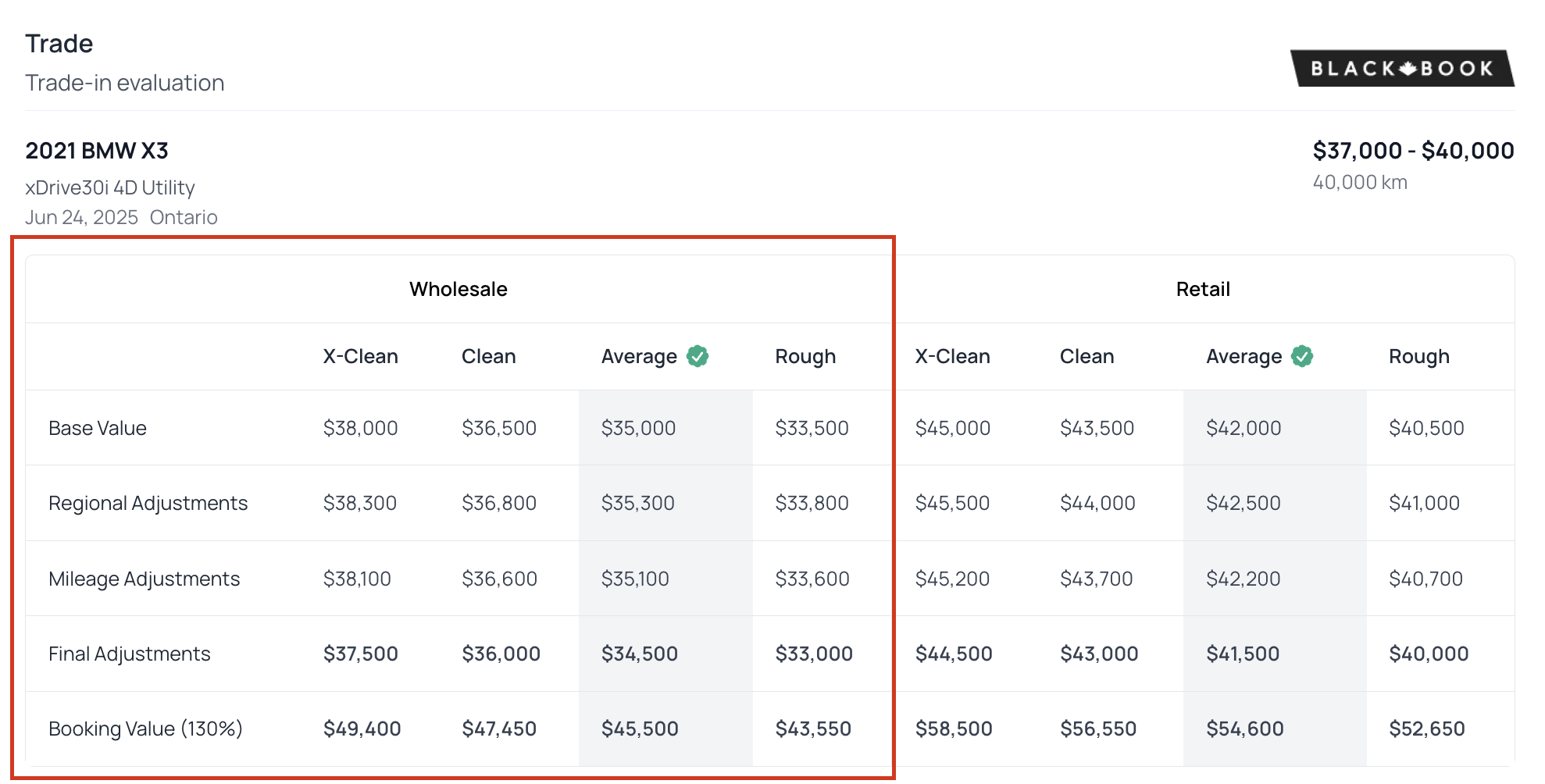
Once activated, wholesale valuations will immediately show up on:
-
New trade-ins entered manually via “Add New Trade-In”
-
Quick Lookup estimates
Updated trade leads (see the How to update existing trade-ins section below)
How to update existing trade-ins
If you entered a lead before wholesale was activated, you can refresh the data to include wholesale values:
-
Open the trade-in lead.
-
Click “Get Latest Trade Data.”
-
The system will pull fresh retail and wholesale values from CBB and update the table.
💡 Pro tip: Use this to re-engage old leads when market values improve.
Need help?
If you have any issues or questions:
-
Chat with us live in your portal
-
Email support@autocorp.ai
-
Or call 1 (877) 255-8627